Session Controls and Indicators
Learn what each controller button and status indicator means during setup, charging, and a session.
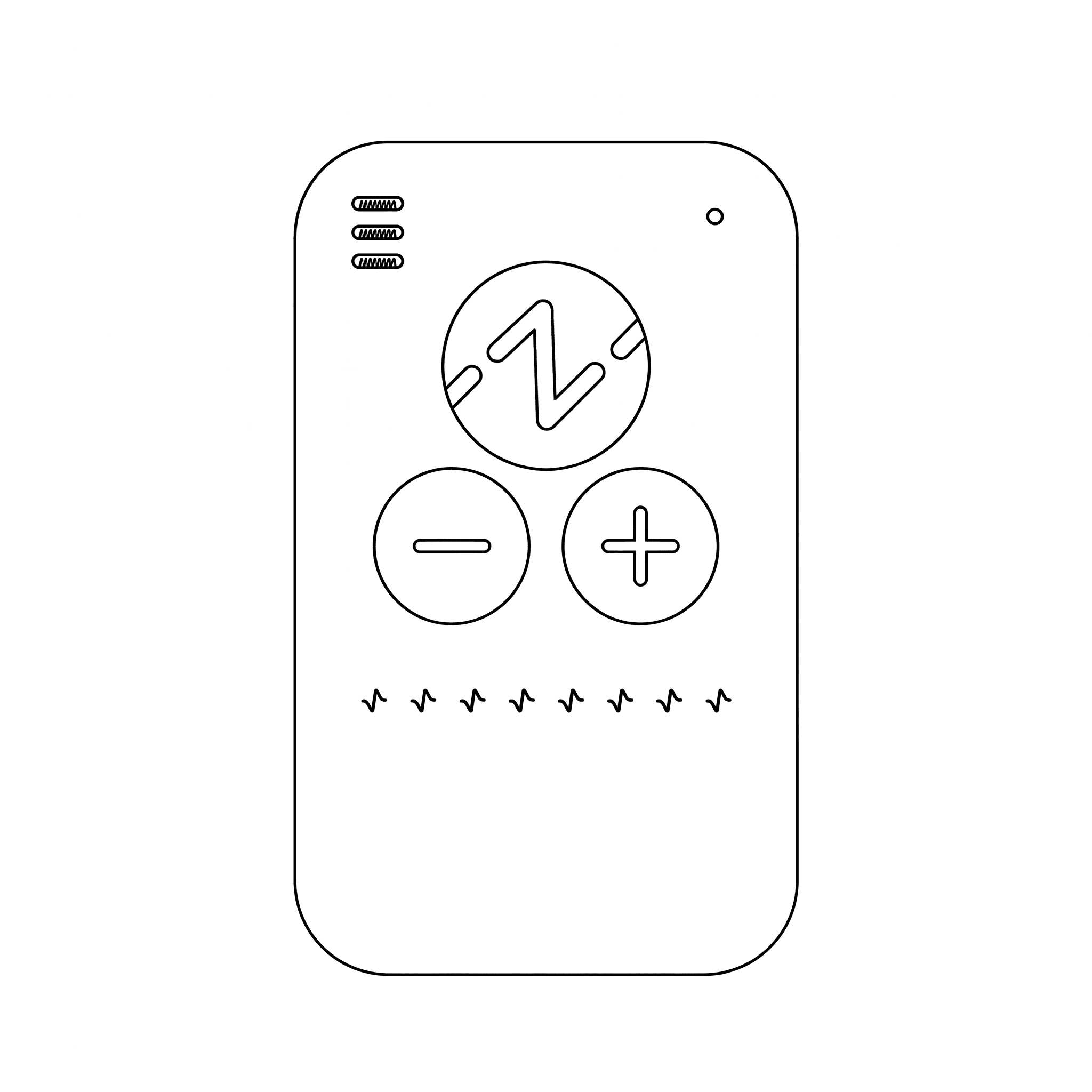
The controller uses three buttons and several visual indicators to communicate session and battery status.
Session Controls
- Z button: Press once to start a session. Press once during an active session to end it early.
- Plus (+) button: Increases stimulation intensity. Increase gradually and only while the sensation remains comfortable.
- Minus (–) button: Decreases stimulation intensity. Use it whenever the sensation feels too strong.
Status Indicators
- Green pulsing: The session is active.
- Red blinking: Electrode contact is poor. Reposition the clips, confirm clean skin contact, and reapply conductive gel if needed.
- Blue flashing: The controller is adjusting automatically; no action is normally required.
- Battery bars blinking: Battery is low. Charge before the next session.
- Battery bars cycling from one to three: Charging is in progress.
- Battery bars off after charging: Charging is complete.
If an Indicator Persists
Stop the session if a warning continues after correcting clip contact or if discomfort occurs. Follow the steps in Troubleshooting before using the controller again.